> For the complete documentation index, see [llms.txt](https://docs.dietrichs.com/llms.txt). Markdown versions of documentation pages are available by appending `.md` to page URLs; this page is available as [Markdown](https://docs.dietrichs.com/tutorials/tutorials-en/learning-the-basics/exploration-journey/program-modules/floor-plan-1-2-1/accessing-and-managing-storeys-in-dietrichs-software.md).
# Accessing and Managing Storeys in Dietrich's Software
#### INSTRUCTION TYPE:
Exploration
#### CATEGORY:
Building Structure Management
#### OBJECTIVE:
Learn how to access, view, and edit storeys in a Dietrich's project
#### PREREQUISITES:
* Basic familiarity with Dietrich's user interface
* A Dietrich's project with at least one storey created
#### EXPERTISE LEVEL:
Novice
#### PARAMETERS:
* Storey Selection: Method of choosing which storey to work with
* Storey Properties: Settings that define storey characteristics
## STEPS:
1. **Floor Plan module**: Access the storey management interface
* Navigate using menu option 1-2-1 to display the Floor Plan interface
* The Floor Plan module is where all storey management takes place
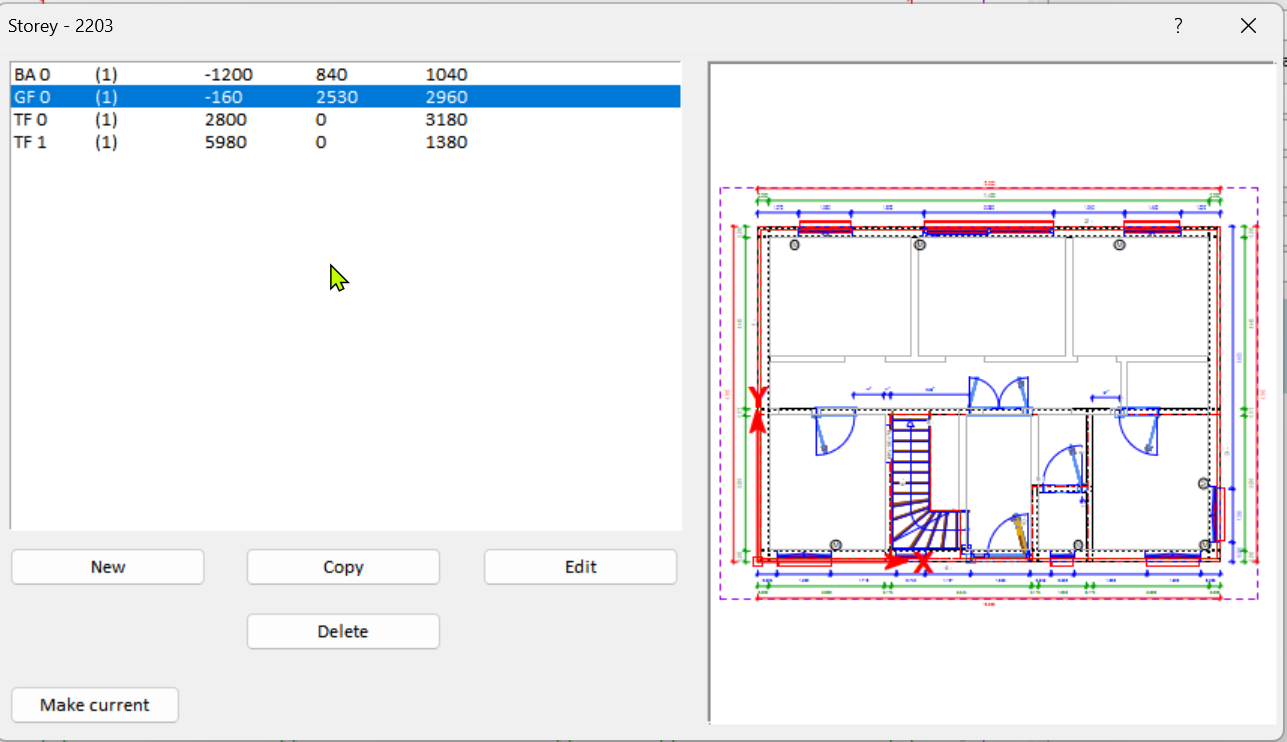
* Use Option 2-1 to see all storeys.
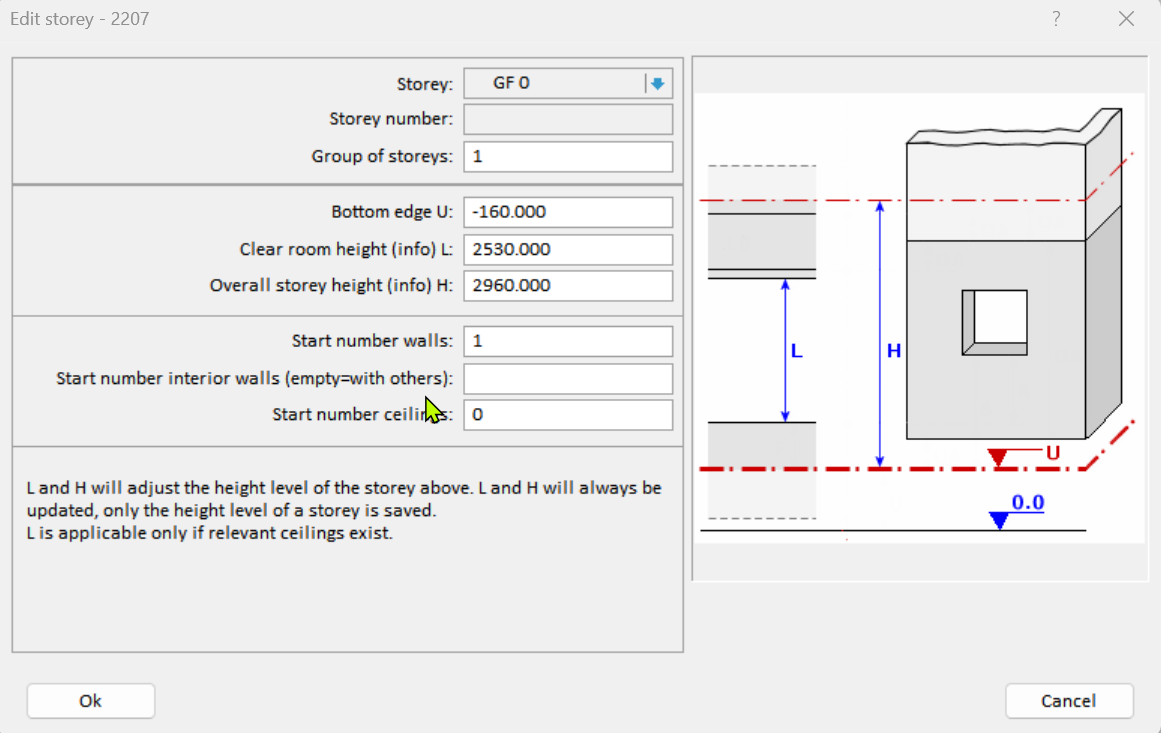
Select a storey and click "edit" to change properties.
2. The edit options are below:
## EXPECTED RESULTS:
You should now be able to access the Floor Plan module, select any storey in your project, and edit its properties using the "Edit" button. This gives you control over the vertical organization of your building design.
## COMMON VARIATIONS:
* The exact position of the storey selection list and Edit button may vary by software version
* Some projects may have storeys with special properties based on their function
## TROUBLESHOOTING:
* If you don't see the Edit button: Make sure you've properly selected a storey first
* If storey properties aren't updating: Check that you've confirmed changes in the dialog
## FOLLOW-UP ACTIONS:
* Define walls on your edited storey
* Adjust the relationship between storeys if needed
* Create floor decks to connect storeys vertically