> For the complete documentation index, see [llms.txt](https://docs.dietrichs.com/llms.txt). Markdown versions of documentation pages are available by appending `.md` to page URLs; this page is available as [Markdown](https://docs.dietrichs.com/dietrichs-intelligent-documentation/francais/plaene/wandplan.md).

# Plan de mur

<figure><img src="/files/Ici0WAo83o6wIS3QmveW" alt=""><figcaption><p>Plan de mur</p></figcaption></figure>

<table><thead><tr><th width="125">Rac. clavier</th><th>Menus déroulants</th><th data-hidden></th></tr></thead><tbody><tr><td>1.01.<mark style="color:blue;">6</mark></td><td>Fichier • Plans • <mark style="color:blue;">Plan de mur</mark></td><td></td></tr></tbody></table>

Le dépôt "*Plans de mur"* permet de créer plusieurs plans d’un même mur ou de murs différents, en une seule opération.

À l’appel du dépôt "*Plans de mur"*, l’assistant de marquage peut s’ouvrir automatiquement. Cette fonction permet de définir l’emplacement des pièces en contact par une ou deux lignes. Le marquage est considéré comme un usinage et peut impacter le tri.

Une fois le marquage créé ou ignoré, la fenêtre de tri peut s’ouvrir si des modifications ont été apportées à des composants ou si de nouveaux composants ont été créés. Il est recommandé de cliquer sur le bouton Ajouter au tri existant.

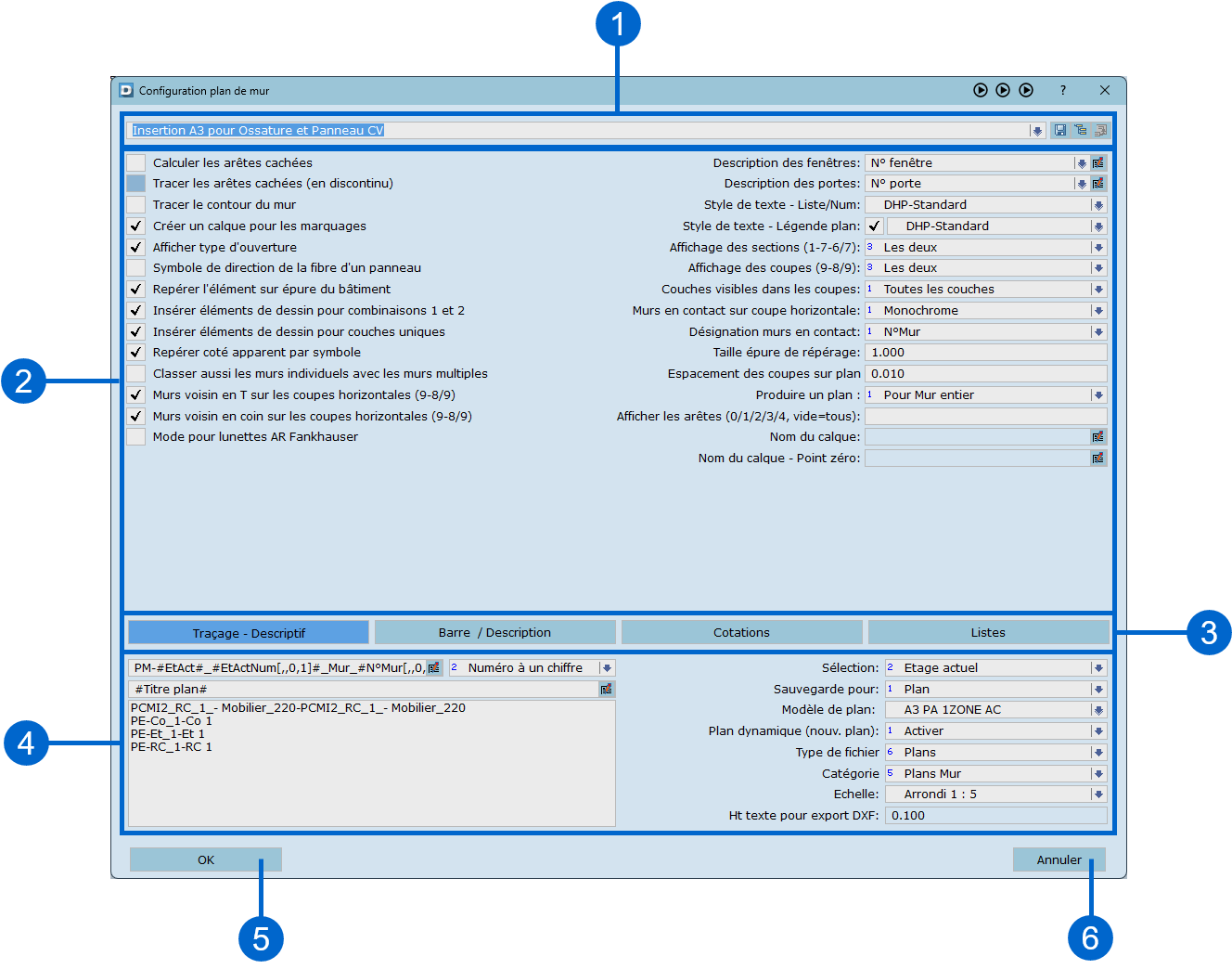
La fenêtre de paramétrage du dépôt de plan de mur s’ouvre alors.

<figure><img src="/files/okYHJexMS9eSGchyZjr0" alt=""><figcaption><p><strong>Plan de mur</strong> ● Pour plus d’informations sur chaque zone numérotée, suivez les indications ci-dessous.</p></figcaption></figure>


---

# Agent Instructions
This documentation is published with GitBook. GitBook is the documentation platform designed so that both humans and AI agents can read, navigate, and reason over technical content effectively. Learn more at gitbook.com.

## Querying This Documentation
If you need additional information that is not directly available in this page, you can query the documentation dynamically by asking a question.

Perform an HTTP GET request on the current page URL with the `ask` query parameter:

```
GET https://docs.dietrichs.com/dietrichs-intelligent-documentation/francais/plaene/wandplan.md?ask=<question>
```

The question should be specific, self-contained, and written in natural language.
The response will contain a direct answer to the question and relevant excerpts and sources from the documentation.

Use this mechanism when the answer is not explicitly present in the current page, you need clarification or additional context, or you want to retrieve related documentation sections.