> For the complete documentation index, see [llms.txt](https://docs.dietrichs.com/llms.txt). Markdown versions of documentation pages are available by appending `.md` to page URLs; this page is available as [Markdown](https://docs.dietrichs.com/dietrichs-intelligent-documentation/docs-pol/projekt-3d-cad_cam/konstruktionsprogramm_projekt-3d-cad_cam/plaene_rysunki/3892.md).

# Zmiana powiązania rysunku dynamicznego

Dynamiczna dokumentacja opiera się na ścisłej relacji między plikiem rysunku obiektu i plikiem samego obiektu, z którego powstał rysunek. To wzajemne powiązanie zostało opisane w artykule [*Dynamiczna dokumentacja rysunkowa*](https://docs.dietrichs.com/dietrichs-intelligent-documentation/docs-pol/projekt-3d-cad_cam/konstruktionsprogramm_projekt-3d-cad_cam/plaene_rysunki/dynamiczna-dokumentacja-rysunkowa).

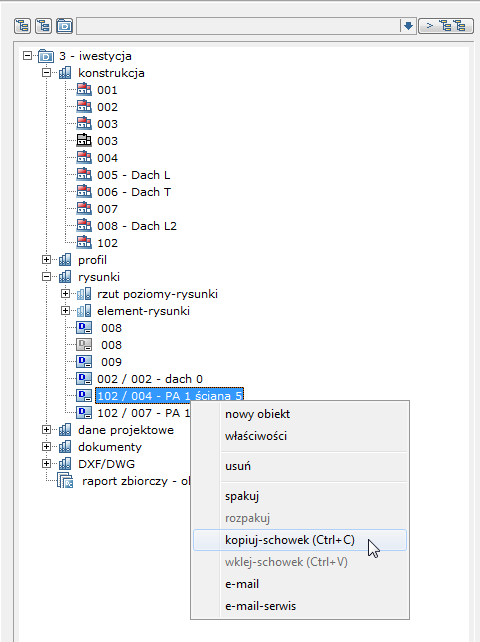
Istnieje jednak możliwość kontroli nad tym, z którym obiektem powiązany jest rysunek dynamiczny. Aby utworzyć nowe powiązanie rysunku dynamicznego z innym obiektem konstrukcji należy wykonać jego kopię, a następnie wkleić wybrane miejsce.

<figure><img src="/files/xuuN5zFl6lAXYt4GSIj1" alt="" width="360"><figcaption></figcaption></figure>

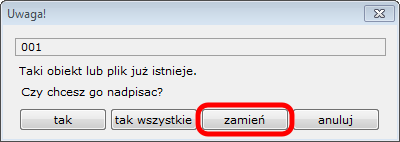
Jedynie duplikat pierwotnego rysunku o zmienionej nazwie może otrzymać nowe powiązanie z dowolnie wybraną konstrukcją w obrębie jednego projektu.

<figure><img src="/files/qO6jEDGbvjkAU8UIRNAH" alt="" width="300"><figcaption></figcaption></figure>

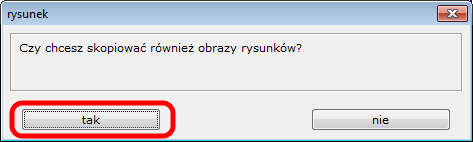
W tym celu należy zachować obrazy zawarte w rysunku

<figure><img src="/files/Cvad4pHeMLHC3zNNdafZ" alt="" width="355"><figcaption></figcaption></figure>

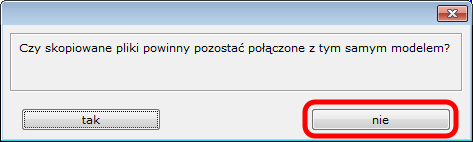
a następnie zerwać ich oryginalne połączenie z modelem.

<figure><img src="/files/IzO6VSw7d6FFIFluOwVB" alt="" width="355"><figcaption></figcaption></figure>

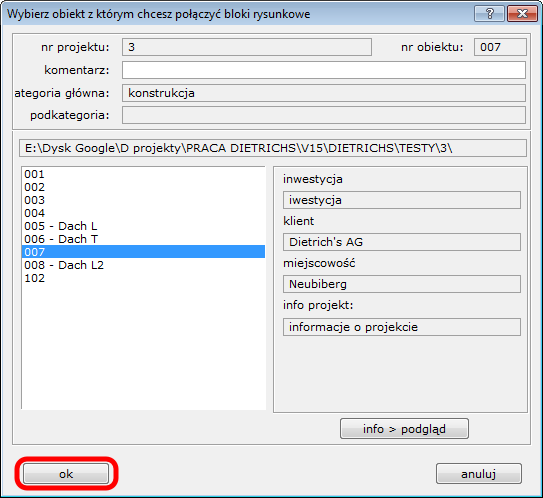
System pozwoli na wskazanie nowego dowolnego pliku konstrukcji w ramach danego projektu.

<figure><img src="/files/C8gDzU0sAUGMWnl2tUBm" alt="" width="407"><figcaption></figcaption></figure>

Odtąd nowo wskazany obiekt będzie źródłem dla duplikatu rysunku podczas aktualizacji jego treści.
---

# Agent Instructions
This documentation is published with GitBook. GitBook is the documentation platform designed so that both humans and AI agents can read, navigate, and reason over technical content effectively. Learn more at gitbook.com.

## Querying This Documentation
If you need additional information that is not directly available in this page, you can query the documentation dynamically by asking a question.

Perform an HTTP GET request on the current page URL with the `ask` query parameter, and the optional `goal` query parameter:

```
GET https://docs.dietrichs.com/dietrichs-intelligent-documentation/docs-pol/projekt-3d-cad_cam/konstruktionsprogramm_projekt-3d-cad_cam/plaene_rysunki/3892.md?ask=<question>&goal=<endgoal>
```

`ask` is the immediate question: it should be specific, self-contained, and written in natural language.
`goal` is optional and describes the broader end goal you are ultimately trying to accomplish on behalf of the user. GitBook uses it to tailor the answer towards what is most useful for that goal.

The response will contain a direct answer to the question and relevant excerpts and sources from the documentation.

Use this mechanism when the answer is not explicitly present in the current page, you need clarification or additional context, or you want to retrieve related documentation sections.